-
 Email Us justwellautomation@qq.com

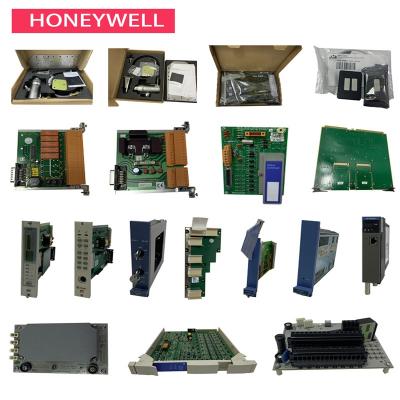
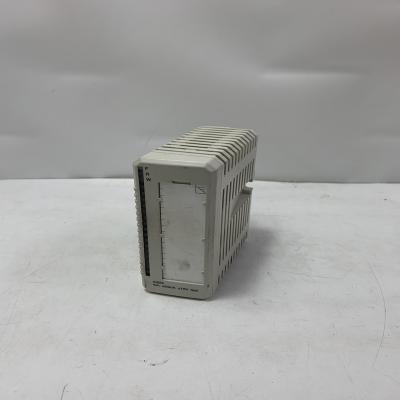
HONEYWELL IO-16UI-S-P Universal Input Module
Item NO.:
IO-16UI-S-PPayment:
T/TPrice:
$1280Product Origin:
USAColor:
NEWProduct weight:
0.35kgLead Time:
In stockWe will arrange delivery within 3-5 days after receiving the payment.
Our express delivery: DHL and FedEx.
Quality packing for each product
Destination country all taxes & duty to be paid by buyer
Only part of the brand and model, if you have other product needs, please contact us..
The Honeywell IO-16UI-S-P is a 16-channel Universal Input (UI) module designed for Honeywell Advanced Controller and Optimizer building automation systems.
It receives signals from field devices such as temperature sensors, pressure transmitters, switches, and other monitoring equipment. The module supports analog and digital input configurations and communicates with the controller through a serial I/O bus.
The P suffix indicates push-in terminals, while S indicates serial communication.
|
Item |
Description |
|---|---|
|
Brand |
Honeywell |
|
Model |
IO-16UI-S-P |
|
Product Type |
Universal Input Module |
|
Product Series |
Advanced Controller I/O |
|
Number of Inputs |
16 |
|
Input Types |
Analog and digital |
|
Voltage Input |
0–10 VDC |
|
Current Input |
0–10 mA, 4–10 mA, 0–20 mA, 4–20 mA |
|
Temperature Input |
Thermistor |
|
Digital Input |
Dry contact |
|
Pulse Input |
Up to 100 Hz |
|
Communication |
Serial I/O bus |
|
Terminal Type |
Push-in terminals |
|
HOA Display |
No |
|
Module Length |
105 mm (4.13 in) |
16 universal input channels: Monitors multiple field devices through one compact module.
Flexible signal support: Accepts voltage, current, thermistor, dry-contact, and pulse signals.
Push-in terminals: Simplifies field wiring and maintenance.
Serial communication: Connects to compatible Honeywell controllers through the I/O bus.
Flexible configuration: Input types can be configured according to the connected field devices.
Space-saving design: Helps reduce the number of separate I/O modules required in building automation panels.
HVAC automation systems
Building management systems (BMS)
Temperature and humidity monitoring
Pressure and flow monitoring
Fan and pump status monitoring
Commercial building control systems
Confirm compatibility with the Honeywell Advanced Controller or Optimizer controller.
Configure each input channel for the correct sensor or signal type.
Check signal polarity and wiring requirements before installation.
Observe the specified input voltage and current limits.
Install using the compatible Honeywell I/O mounting and wiring arrangement.
This model has no HOA display; do not confuse it with the IOD versions.
 All Categories